This PHP code for WordPress adds a “Login Only” option to the website’s settings, allowing the admin to restrict site access to only logged-in users.
This snippet adds Force User Login setting checkbox to Customizer.
When you enable it any visitor has to login to site to view the content. I use this mostly when I am in development or updating something or temporarily making the site login only.
Very useful.
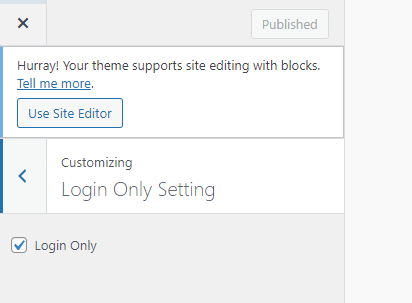
// Login Only Setting Customizer
function custom_customize_register( $wp_customize ) {
    // Add a section to hold our setting
    $wp_customize->add_section( 'custom_settings_section', array(
        'title'    => 'Login Only Setting',
        'priority' => 30,
    ));

    // Add the setting with the default value as false (checkbox not checked)
    $wp_customize->add_setting( 'login_only_setting', array(
        'default'   => 'no', // Default value set to 'no' to make checkbox not checked
        'transport' => 'refresh',
    ));

    // Add the checkbox control
    $wp_customize->add_control( 'login_only_control', array(
        'label'    => 'Login Only',
        'section'  => 'custom_settings_section',
        'settings' => 'login_only_setting',
        'type'     => 'checkbox',
    ));
}
add_action( 'customize_register', 'custom_customize_register' );

// Redirect users to the login page if they are not logged in
function restrict_site_access() {
    if (get_theme_mod('login_only_setting') && !is_user_logged_in()) {
        auth_redirect();
    }
}
add_action( 'template_redirect', 'restrict_site_access' );