Simple custom text element for Bricks Builder.
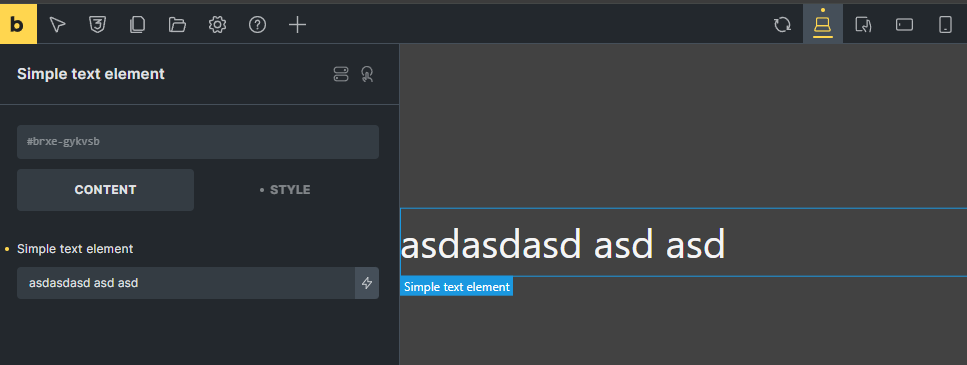
This example only includes type: text control but there are tons of other controls are possible to create as custom element. Here is the full list.
save this inside your theme or plugin like your-element-name.php or change it whatever you want.
<?php

if ( ! defined( 'ABSPATH' ) ) {
	exit;
}

use Bricks\Frontend;

class Prefix_Element_Simple_Text_Element extends \Bricks\Element {
	public $category  = 'snn';
	public $name      = 'simple-text-element';
	public $icon      = 'ti-text';
	public $scripts   = [];
	public $nestable  = false;

	public function get_label() {
		return esc_html__( 'Simple text element', 'bricks' );
	}

	public function set_control_groups() {
		// No control groups needed.
	}

	public function set_controls() {
		// Only Content Control: Text Content
		$this->controls['text_content'] = [
			'tab'         => 'content',
			'label'       => esc_html__( 'Simple text element', 'bricks' ),
			'type'        => 'text',
			'placeholder' => esc_html__( 'Enter your text content here', 'bricks' ),
			'default'     => '',
		];
	}

	public function render() {
		$root_classes = [ 'simple-text-element' ];
		$this->set_attribute( '_root', 'class', $root_classes );

		$text_content = isset( $this->settings['text_content'] ) ? $this->settings['text_content'] : '';

		echo '<div ' . $this->render_attributes( '_root' ) . '>';
		echo $text_content;
		echo Frontend::render_children( $this );
		echo '</div>';
	}

	/**
	 * Render builder method - used within the Bricks builder interface.
	 */
	public static function render_builder() {
		?>
		<script type="text/x-template" id="tmpl-bricks-element-simple-text-element">
			<component :is="tag">
				<div v-if="element.settings.text_content" class="simple-text-element">
					{{ element.settings.text_content }}
				</div>
				<bricks-element-children :element="element"/>
			</component>
		</script>
		<?php
	}
}
and ofcourse you need to register this element as well
add_action('init', function () {

    $yourelement = get_stylesheet_directory() . '/custom_elements/your-element-name.php';
    if (file_exists($yourelement)) {
        require_once $yourelement;
        \Bricks\Elements::register_element($yourelement);
    }


}, 11);